05. Adding Geofences
KOTLIN PART2 L4 A05 Adding Geofences V2
Creating a Pending Intent
A PendingIntent is a description of an Intent and target action to perform with it. You will create one for the IntentService to handle the geofence transitions.
- In
HuntMainActivity.kt, create a private variable aboveonCreate()calledgeofencePendingIntentof typePendingIntentto handle the geofence transitions. Connect it to theGeofenceTransitionsBroadcastReceiver.
Note: The broadcast receiver is how Android apps can send or receive broadcast messages from the Android system and other Android apps. This will be explained more in the next video.
private val geofencePendingIntent: PendingIntent by lazy {
   val intent = Intent(this, GeofenceBroadcastReceiver::class.java)
   intent.action = ACTION_GEOFENCE_EVENT
   PendingIntent.getBroadcast(this, 0, intent, PendingIntent.FLAG_UPDATE_CURRENT)
}
Note: For more information on lazy properties (value gets computed only on first access), check out the Kotlin docs.
Add Geofencing Client
A GeofencingClient is the main entry point for interacting with the geofencing APIs.
- In the
onCreate()method, instantiate thegeofencingClient.
geofencingClient = LocationServices.getGeofencingClient(this)Add geofences
- Copy this code into the
addGeofenceForClue()method. We know it is a lot of code, but do not fear, we will go over the code step by step.
private fun addGeofenceForClue() {
   if (viewModel.geofenceIsActive()) return
   val currentGeofenceIndex = viewModel.nextGeofenceIndex()
   if(currentGeofenceIndex >= GeofencingConstants.NUM_LANDMARKS) {
       removeGeofences()
       viewModel.geofenceActivated()
       return
   }
   val currentGeofenceData = GeofencingConstants.LANDMARK_DATA[currentGeofenceIndex]

   val geofence = Geofence.Builder()
       .setRequestId(currentGeofenceData.id)
       .setCircularRegion(currentGeofenceData.latLong.latitude,
           currentGeofenceData.latLong.longitude,
           GeofencingConstants.GEOFENCE_RADIUS_IN_METERS
       )
       .setExpirationDuration(GeofencingConstants.GEOFENCE_EXPIRATION_IN_MILLISECONDS)
       .setTransitionTypes(Geofence.GEOFENCE_TRANSITION_ENTER)
       .build()

   val geofencingRequest = GeofencingRequest.Builder()
       .setInitialTrigger(GeofencingRequest.INITIAL_TRIGGER_ENTER)
       .addGeofence(geofence)
       .build()

   geofencingClient.removeGeofences(geofencePendingIntent)?.run {
       addOnCompleteListener {
           geofencingClient.addGeofences(geofencingRequest, geofencePendingIntent)?.run {
               addOnSuccessListener {
                   Toast.makeText(this@HuntMainActivity, R.string.geofences_added,
                       Toast.LENGTH_SHORT)
                       .show()
                   Log.e("Add Geofence", geofence.requestId)
                   viewModel.geofenceActivated()
               }
               addOnFailureListener {
                   Toast.makeText(this@HuntMainActivity, R.string.geofences_not_added,
                       Toast.LENGTH_SHORT).show()
                   if ((it.message != null)) {
                       Log.w(TAG, it.message)
                   }
               }
           }
       }
   }
}- First, check if we have any active geofences for our treasure hunt. If we already do, we shouldn't add another. (After all, we only want them looking for one treasure at a time).
if (viewModel.geofenceIsActive()) return- Find out the
currentGeofenceIndexusing theviewModel. If the index is higher than the number of landmarks we have, it means the user has found all the treasures. Remove geofences, callgeofenceActivatedon theviewModel, then return.
val currentGeofenceIndex = viewModel.nextGeofenceIndex()
if(currentGeofenceIndex >= GeofencingConstants.NUM_LANDMARKS){
   removeGeofences()
   viewModel.geofenceActivated()
   return
}- Once you have the index and know it is valid, get the data surrounding the geofence.
val currentGeofenceData = GeofencingConstants.LANDMARK_DATA[currentGeofenceIndex]- Build the geofence using the geofence builder, the information in
currentGeofenceData, like the id and the latitude and longitude. Set the expiration duration using the constant set inGeofencingConstants. Set the transition type toGEOFENCE_TRANSITION_ENTER. Finally, build the geofence.
val geofence = Geofence.Builder()
   .setRequestId(currentGeofenceData.id)
   .setCircularRegion(currentGeofenceData.latLong.latitude,
       currentGeofenceData.latLong.longitude,
       GeofencingConstants.GEOFENCE_RADIUS_IN_METERS
   )
   .setExpirationDuration(GeofencingConstants.GEOFENCE_EXPIRATION_IN_MILLISECONDS)
   .setTransitionTypes(Geofence.GEOFENCE_TRANSITION_ENTER)
.build()- Build the geofence request. Set the initial trigger to
INITIAL_TRIGGER_ENTER, add the geofence you just built and then build.
val geofencingRequest = GeofencingRequest.Builder()
   .setInitialTrigger(GeofencingRequest.INITIAL_TRIGGER_ENTER)
   .addGeofence(geofence)
.build()- Call
removeGeofences()on thegeofencingClientto remove any geofences already associated to the pending intent
geofencingClient.removeGeofences(geofencePendingIntent)?.run {

}- When
removeGeofences()completes, regardless of its success or failure, add the new geofences.
addOnCompleteListener {
   geofencingClient.addGeofences(geofencingRequest, geofencePendingIntent)?.run {

          }
}- If adding the geofences is successful, let the user know through a toast that they were successful.
addOnSuccessListener {
   Toast.makeText(this@HuntMainActivity, R.string.geofences_added,
       Toast.LENGTH_SHORT)
       .show()
   Log.e("Add Geofence", geofence.requestId)
   viewModel.geofenceActivated()
}- If adding the geofences fails, present a toast letting the user know that there was an issue in adding the geofences.
addOnFailureListener {
   Toast.makeText(this@HuntMainActivity, R.string.geofences_not_added,
       Toast.LENGTH_SHORT).show()
   if ((it.message != null)) {
       Log.w(TAG, it.message)
   }
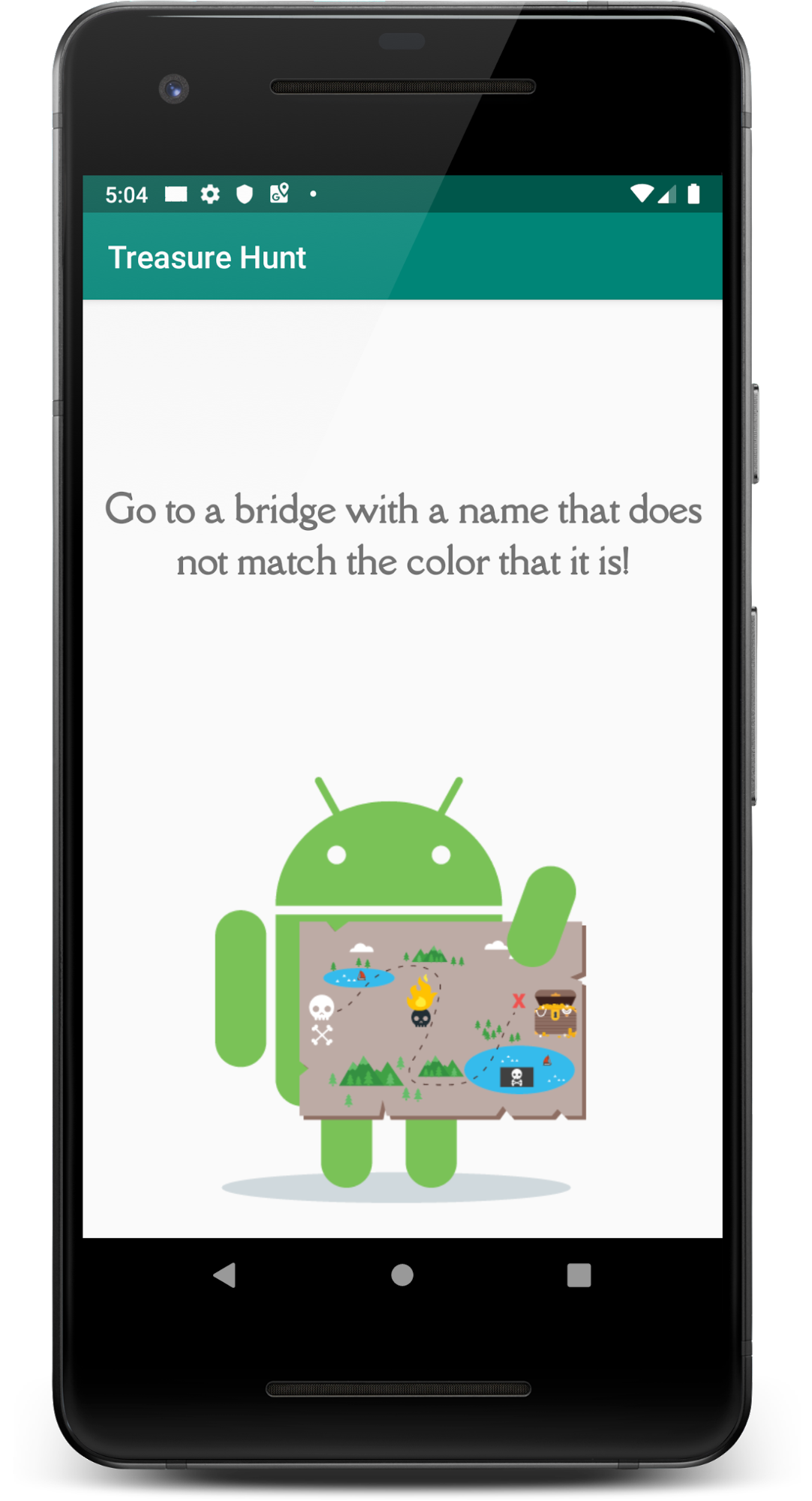
}- Run the app! Your screen will now display a clue and there will be a toast presented that tells you that the geofence is added.